
Your website's contact form, WordPress, n8n, your CRM or POS software, or an office scanner can send email from your HostBring address. They all need the same SMTP settings.
Find your settings
In the portal, open Email, then Email addresses, and click the address that should send. Mail app settings shows everything you need.
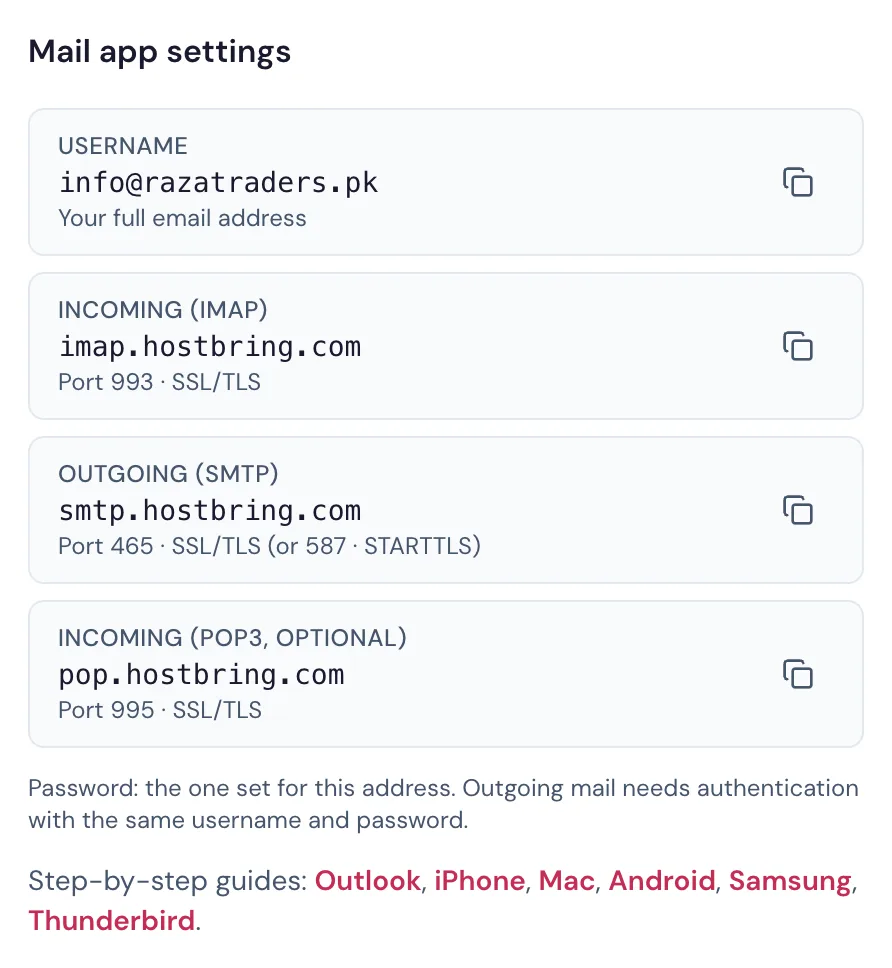
| Setting | Value |
|---|---|
| SMTP server (host) | smtp.hostbring.com |
| Port | 465 with SSL/TLS (or 587 with STARTTLS) |
| Username | your full email address, for example info@yourbusiness.pk |
| Password | that address's password |
| From address | the same address |
Put them in your app
- WordPress: install the free WP Mail SMTP plugin. In its settings choose Other SMTP, then enter the host, port, encryption and login from above. Use the plugin's Email Test tab to send a test.
- Contact form plugins (Contact Form 7, WPForms, Elementor): they send through WordPress, so set up WP Mail SMTP once and they all use it.
- n8n, Zapier or Make: add an SMTP credential with the settings above, then run the email step once to test it.
- Business software (CRM, POS, accounting, school or clinic software): look for Email settings, SMTP or Outgoing mail.
- Office printers and scanners (scan to email): open the device's settings page in a browser, find SMTP or Email, and enter the same settings.
Send a test
Send a test email to your personal Gmail. Check it arrives in the inbox, not Spam. On a new domain the first emails can land in Spam: see Why do my emails go to Spam?
Common errors
| Error | What it means |
|---|---|
| Timeout, or "connect ETIMEDOUT" | The port is blocked or wrong. Try 587 with STARTTLS. Some hosting companies block outgoing SMTP: ask them to allow it. |
| "Hostname/IP does not match certificate" | The host isn't smtp.hostbring.com. Don't turn off the certificate check; fix the host instead. |
| "Authentication failed" or "535" | Wrong username or password. The username is the full address. Check the password, or reset it on the address page. |
| "Sender address rejected" | The From address isn't the address you logged in with. |
| Old device only offers port 25 without encryption | It can't send through HostBring. Use a newer device or a computer to send. |
Let our team do it (PKR 1,000 per app)
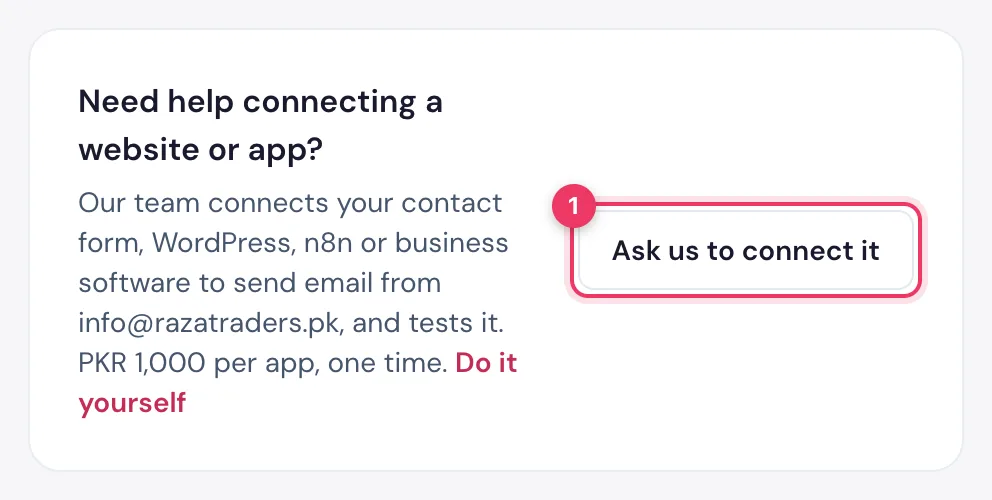
Prefer not to do it yourself? On the address page, under Mail app settings, find Need help connecting a website or app? and click Ask us to connect it.
Type what should send email (for example "WordPress contact form" or "n8n") and, if you can, a temporary login for our team. No login? Leave it empty and we arrange a screen share. Then click Send request.
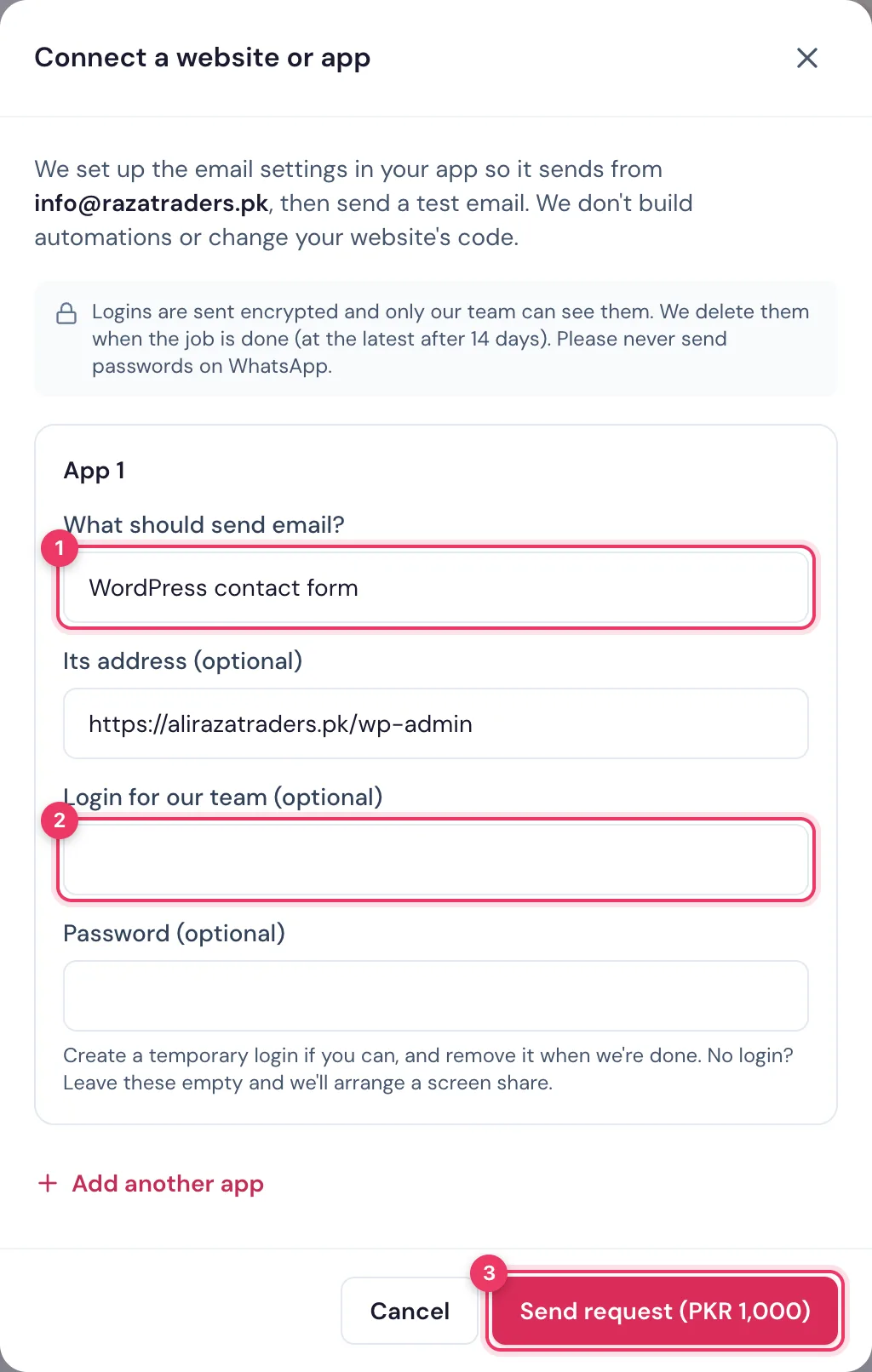
We set up the email settings, send a test, and show you it works. We don't build automations or change your website's code.
