
You can read and send your business email in the Samsung Email app that comes on Samsung Galaxy phones and tablets. This guide works for both kinds of HostBring email:
- HostBring business email: addresses you manage in the portal under Email.
- cPanel email: addresses you created in cPanel under Email Accounts, on a hosting plan.
The steps in the app are the same. Only the server names differ, so first find your settings.
Find your settings
HostBring business email. Open your address page in the portal (Email → Email addresses, then the address). The settings are there with copy buttons:
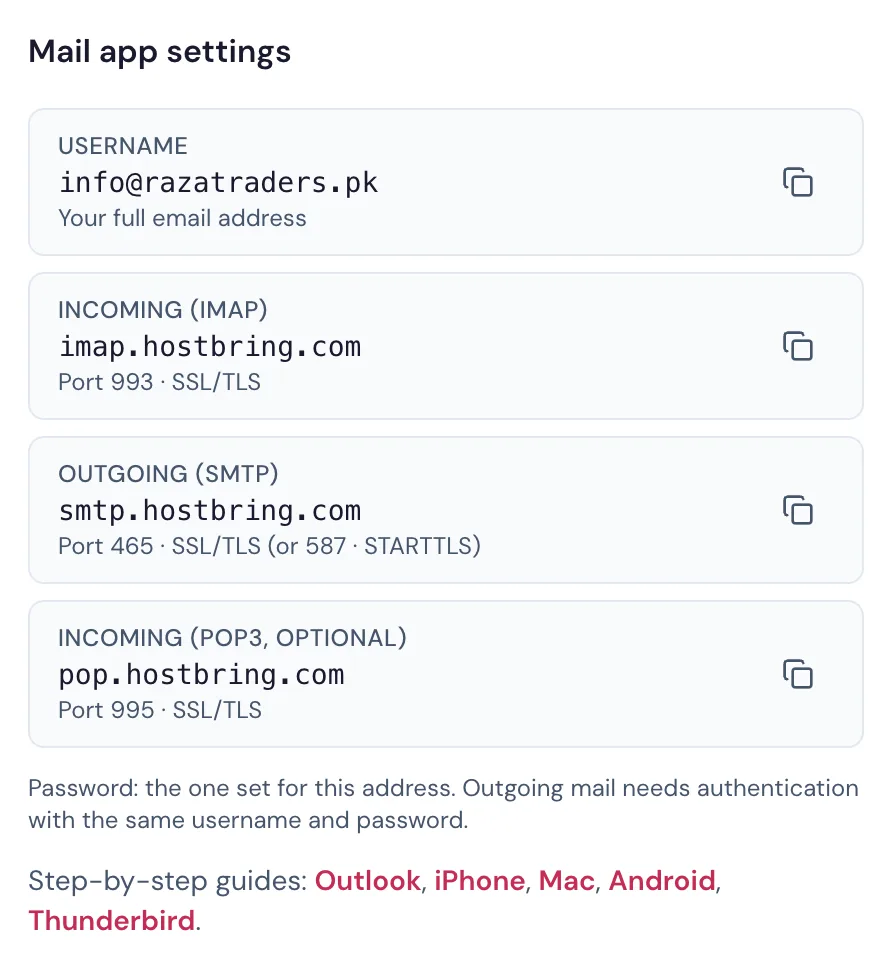
cPanel email. Log in to cPanel (see Log in to cPanel), open Email Accounts, and next to your address tap Connect Devices. Use the Secure SSL/TLS Settings (Recommended) box: it shows the incoming and outgoing server, usually the server's name such as host53.registrar-servers.com.
| Setting | HostBring business email | cPanel email |
|---|---|---|
| Account type | IMAP | IMAP |
| Username | your full email address | your full email address |
| Incoming server | imap.hostbring.com | the server from Connect Devices, for example host53.registrar-servers.com |
| Incoming port and security | 993, SSL | 993, SSL |
| Outgoing server | smtp.hostbring.com | the same server as incoming |
| Outgoing port and security | 465, SSL | 465, SSL |
| Outgoing needs sign-in | Yes | Yes |
mail.yourdomain.com. The server name has a security certificate your phone trusts; mail.yourdomain.com may show a certificate warning.Add your account in Samsung Email
- Open Samsung Email. If it's the first time, it asks for an address straight away; go to step 3. Otherwise tap the menu (☰), then the settings gear, then Add account.
- Choose Other (not Gmail or Outlook).
- Type your full email address and its password, then tap Manual setup (not Sign in).
- Choose IMAP account. Avoid POP3: with POP3 your email is only on this phone and doesn't stay in sync with your other devices.
- Fill in the incoming server with the settings from the table: your full address as the username, the incoming server, security SSL, port 993.
- Fill in the outgoing server: the outgoing server, security SSL, port 465. Make sure Require authentication (or Authentication required) is on, with your full address and the same password.
- Tap Sign in. After a few seconds your inbox opens.
If it doesn't work
- "Authentication failed" or "Username or password is incorrect": the username must be your full email address, and the password the one for that address (not your portal or cPanel password). For HostBring business email, you can set a new one on the address page in the portal.
- Certificate warning (cPanel email): change the incoming and outgoing server to the server name from Connect Devices, as described above. Don't tap Continue anyway.
- You can receive but not send: open Settings, tap your address, then Server settings → Outgoing server. Check the port is 465 with SSL, and that authentication is on with your full address and password.
- Old emails are missing: in Sync settings, set Period to sync email to All or a longer time.
Still stuck? Open a ticket with a screenshot of the error and we'll help.
