
Add your HostBring address to Outlook on your computer. You need your full email address and its password.
Settings you will need
| Setting | Value |
|---|---|
| Account type | IMAP |
| Incoming server | imap.hostbring.com, port 993, SSL/TLS |
| Outgoing server | smtp.hostbring.com, port 465, SSL/TLS |
| Username | your full email address |
| Password | the password for that address |
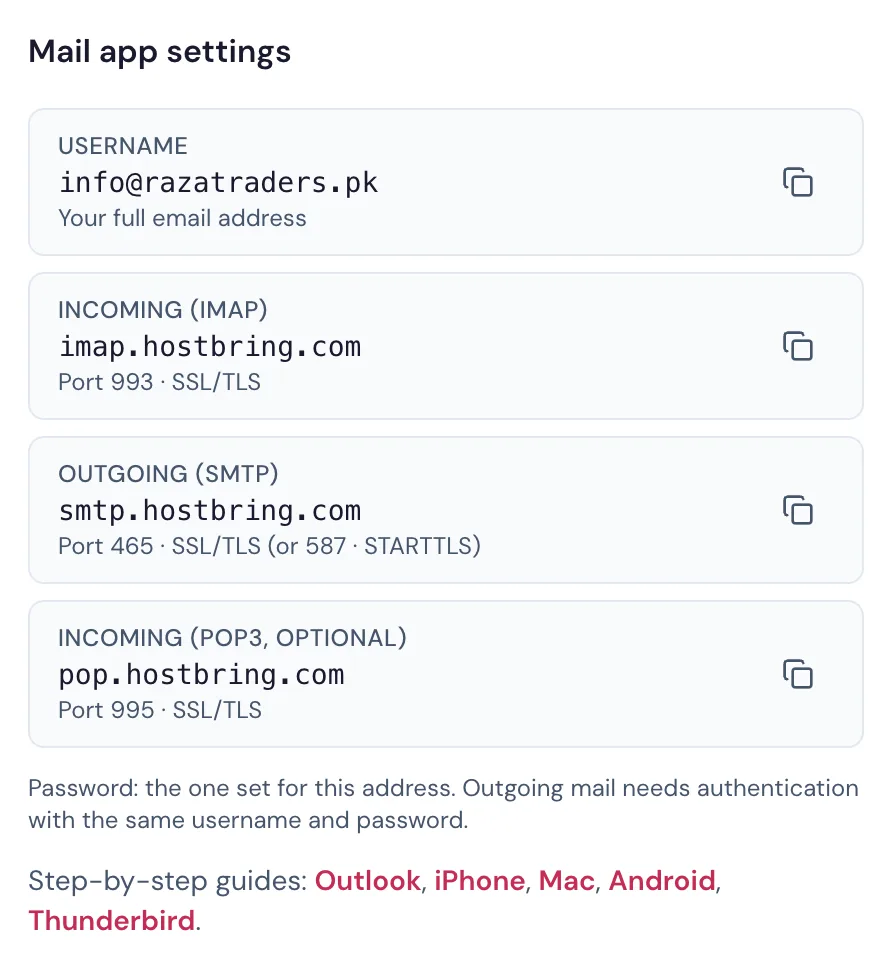
Every setting is also on your address page in the portal (Email → Email addresses, then the address), with copy buttons:
Outlook on Windows
- Open Outlook and go to File → Add Account (in the new Outlook: Settings → Accounts → Add account).
- Type your full email address.
- Choose Advanced options → Let me set up my account manually if you see it, then choose IMAP.
- Fill in the incoming and outgoing servers from the table above. Set encryption to SSL/TLS for both.
- Enter your password and finish.
Outlook on Mac
- Open Outlook and go to Outlook → Settings → Accounts → + (add account).
- Type your full email address and choose IMAP/POP if Outlook asks for the provider.
- Fill in the servers and ports from the table above, with SSL turned on for both.
- Enter your password and click Add Account.
TipIf Outlook says it can't connect, check the username is the full address (
you@yourbusiness.pk), not just the part before the @.