
Thunderbird is a free email app for Windows, Mac and Linux. It is also the easiest way to move your old email.
Every setting is also on your address page in the portal (Email → Email addresses, then the address), with copy buttons:
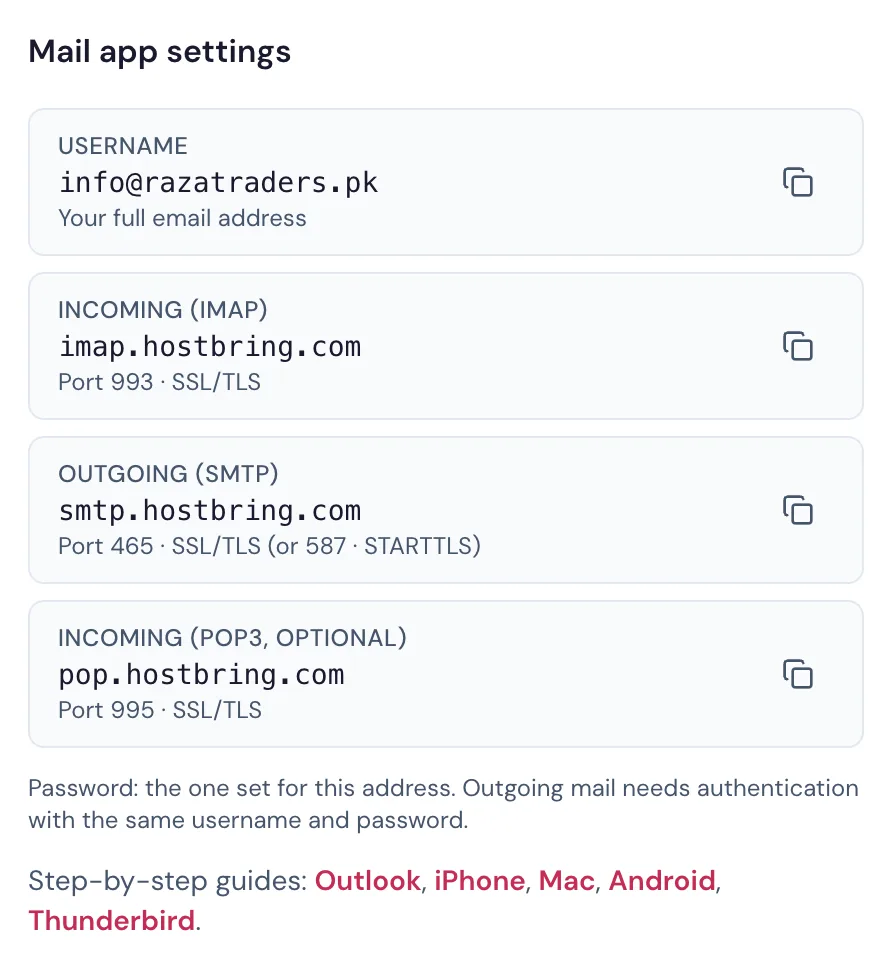
Add your account
- Open Thunderbird and go to Account Settings → Account Actions → Add Mail Account (on first start, the setup screen opens by itself).
- Enter your name, full email address and password. Click Configure manually.
- Fill in:
| Incoming | Outgoing | |
|---|---|---|
| Protocol | IMAP | SMTP |
| Server | imap.hostbring.com | smtp.hostbring.com |
| Port | 993 | 465 |
| Connection security | SSL/TLS | SSL/TLS |
| Authentication | Normal password | Normal password |
| Username | your full email address | your full email address |
- Click Re-test, then Done.
TipPort
587 with STARTTLS also works for outgoing mail if your network blocks port 465.