
A .cn domain is China's own domain. China requires real-name verification for every .cn, so we collect the owner's details and a copy of their ID or business licence when you order, and register the domain for you. Everything here applies to .com.cn too.
Who can register a .cn
- A person, with a passport (or a Chinese ID card).
- A company, with its business licence.
The owner can be inside or outside China. The domain is registered in the owner's name exactly as on their document.
What you need
Have these ready before you order:
| Person | Company | |
|---|---|---|
| Name in English | ✓ | ✓ (the contact person) |
| Name in Chinese characters | ✓ | ✓ |
| Company name in English and Chinese | ✓ | |
| Document number | Passport or ID card number | Unified Social Credit Code (licence number) |
| Photo or scan of the document | Passport or ID card | Business licence |
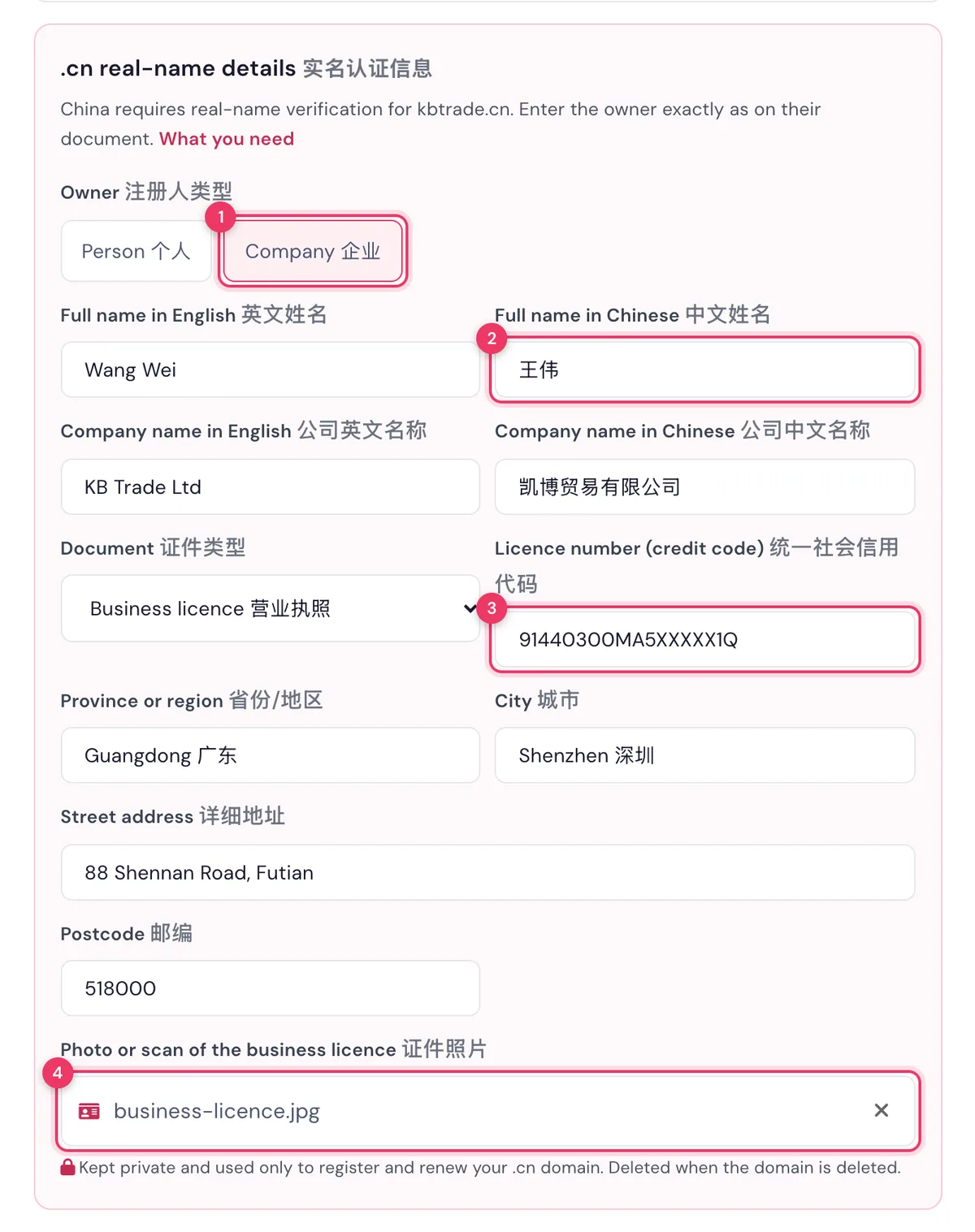
| Address | Province or region, city, street address and postcode | Same |
The photo must be clear and complete: all four corners, no glare, every letter readable. JPG, PNG or WEBP, up to 3 MB.
Order and add the details at checkout
- Search for your name on the domain page and add the .cn to your cart.
- At checkout, on Your details, fill in the .cn real-name details (实名认证信息) card. Every field has English and Chinese labels.
- Choose Person or Company, type the names and the document number, then click Choose a photo or scan to attach the document.
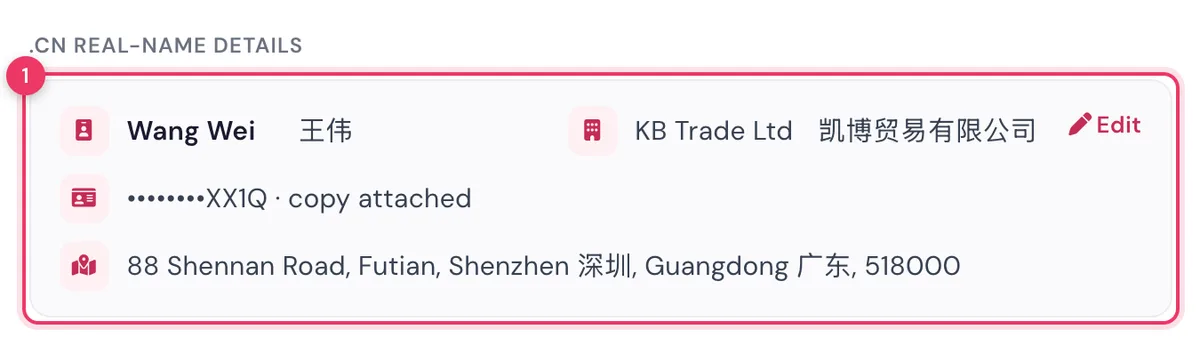
- On Review your order, check the details. The document number shows only its last 4 characters.
- Pay, attach your payment screenshot, and place the order.
Verification
- After your payment is confirmed, we register the domain with your details. Verification usually takes 1 to 3 working days.
- If the registry asks for a clearer photo or a correction, we message you on WhatsApp. Reply with the new photo or the correct details.
- Once it's verified, the domain shows in your client portal under Domains.
NoteYour document is stored privately. Only our senior team can open it, and it's used only to register and renew your .cn domain. It's deleted when the domain is deleted.
Renewals
We renew your .cn with the same details. If the owner's details change (a new passport, a new company address), tell us before the renewal date so we can update them.
