
Every HostBring client can add a domain they bought somewhere else (GoDaddy, Namecheap, PKNIC and others) to their account, whatever plan they have.
1. Open Add New Domain
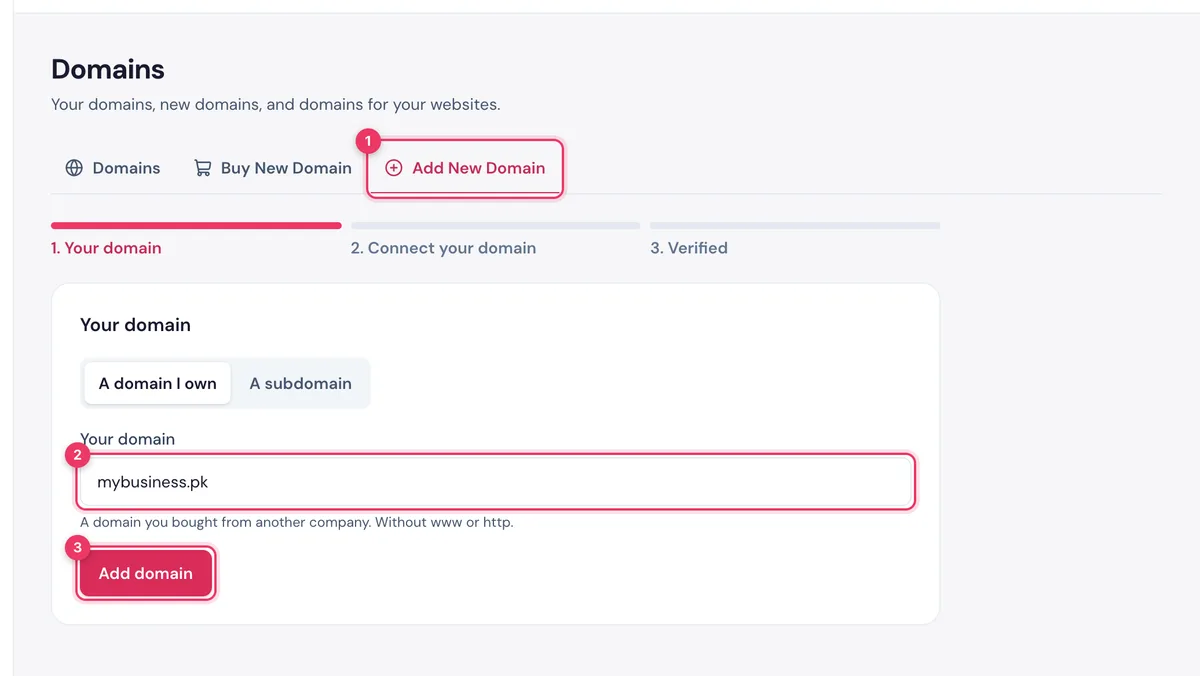
- In the portal, click Domains in the menu.
- Open the Add New Domain tab.
- Type your domain (for example
mybusiness.pk) and continue.
TipBought your domain from HostBring? It is already in your list and already connected. Skip to Use your domain for a website, WordPress or email.
2. Connect it
Pick one of the three ways:
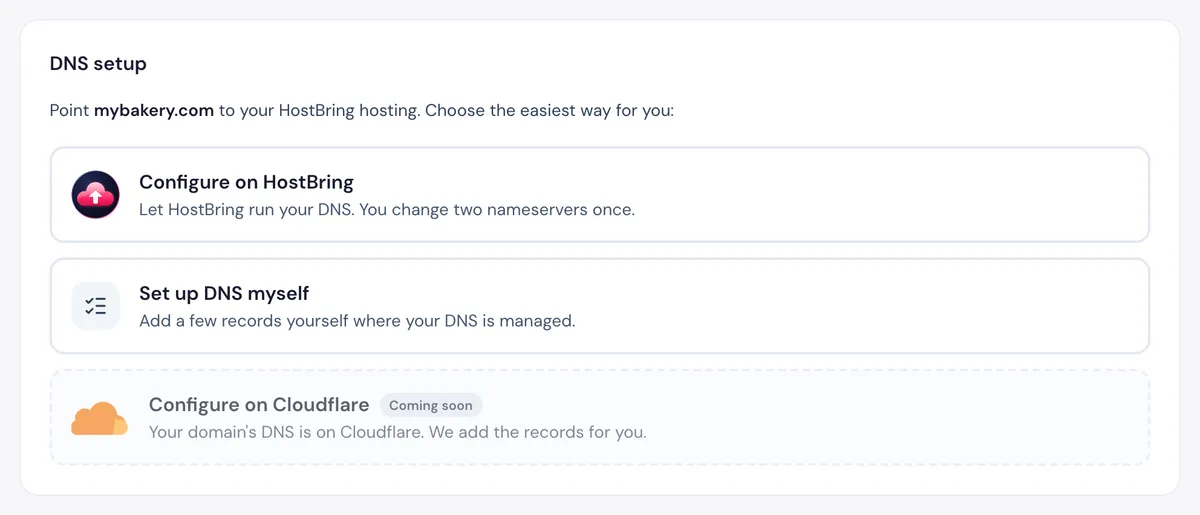
- Configure on HostBring: we run your DNS; you change two nameservers once (easiest).
- Configure on Cloudflare: if your DNS is on Cloudflare, we add the records with a token.
- Set up DNS myself: add the records shown at your DNS provider.
If you don't use the domain for anything yet, only one record is needed: the TXT record _hostbring that proves it's yours.
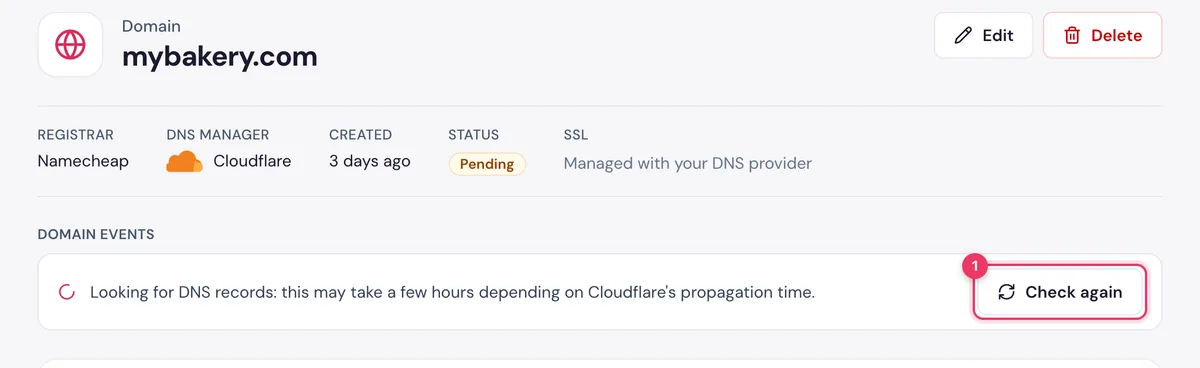
3. Wait for Connected
Press Check again after a few minutes. Your domain shows Connected in the list once it checks out. We also keep checking by ourselves for 7 days.
4. Put it to work
Click Use for next to the domain. See Use your domain for a website, WordPress or email.
