
If your domain's DNS is already on Cloudflare, you can keep it there. You give us a token that can only edit DNS, and we add the records ourselves.
1. Open your domain's DNS setup
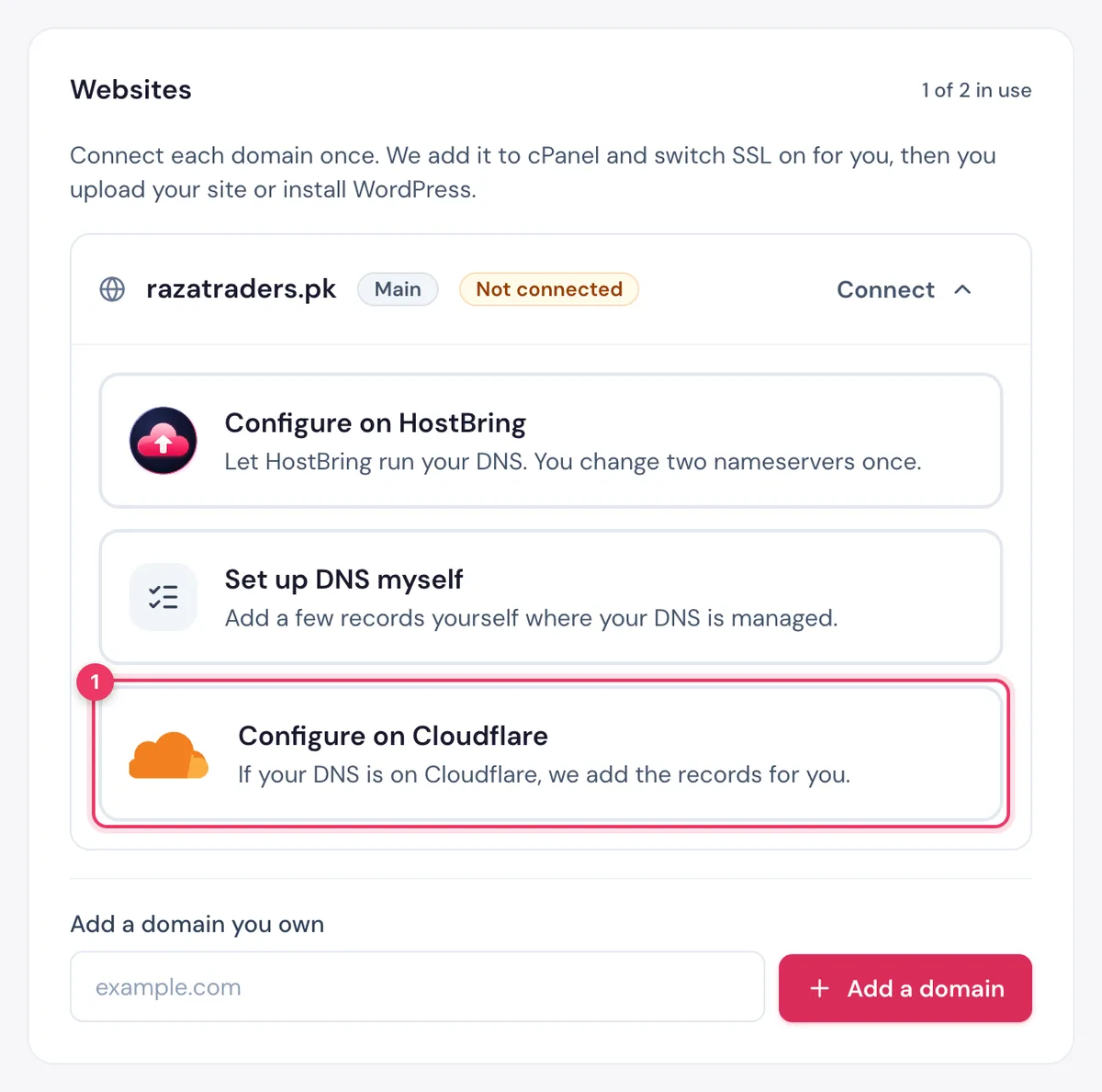
- cPanel hosting: open Hosting, click your hosting, and in Websites click Connect next to the domain.
- Any other plan: open Domains, then Add New Domain (or Finish DNS setup next to a domain you added). See Add a domain you own.
Click Configure on Cloudflare. It is marked Recommended when your domain is already on Cloudflare.
2. Create a token in Cloudflare
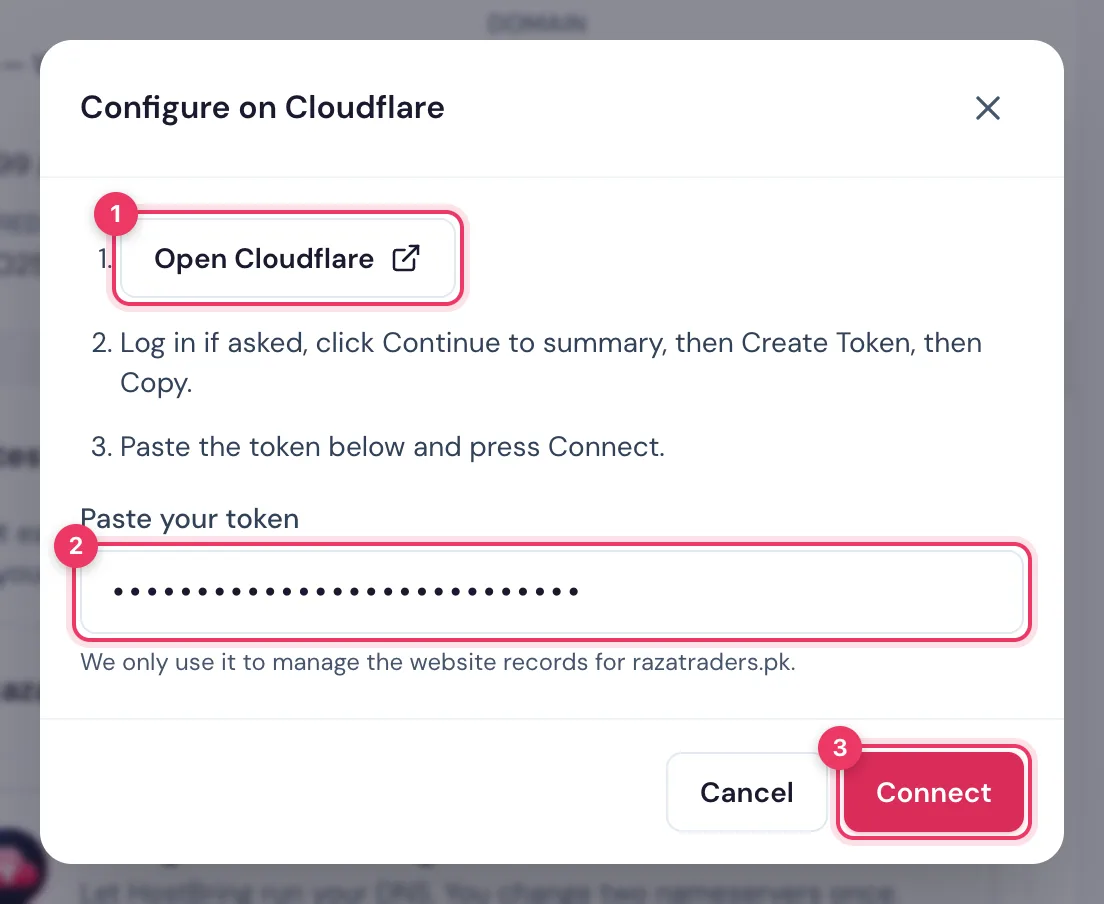
- Click Open Cloudflare. The token page opens with the right permissions already ticked.
- Log in if asked, then click Continue to summary, then Create Token.
- Click Copy.
The token can only edit DNS records. It cannot see your password or billing.
3. Paste it in the portal
Paste the token into Paste your token and click Connect. We add the records and your domain shows Connected straight away.
NoteIf you see Coming soon, this choice isn't switched on yet. Use Configure on HostBring or add the records yourself.
