
New hosting and email plans come with a money-back guarantee. If you are not happy, you can cancel from your plan's page and get the full plan fee back.
1. Check you are inside the money-back period
How long you have depends on the billing cycle you chose. The days are counted from the purchase date.
| Billing cycle | Money-back period |
|---|---|
| Monthly | 3 days |
| Quarterly (3 months) | 7 days |
| 6 months | 15 days |
| Yearly, 2 years or 3 years | 30 days |
Covered: web and shared hosting, business hosting, WordPress hosting and email hosting.
Not covered: VPS, domains, SSL, DNS setup, WordPress migration and other add-ons or services, and setup fees.
2. Open your plan
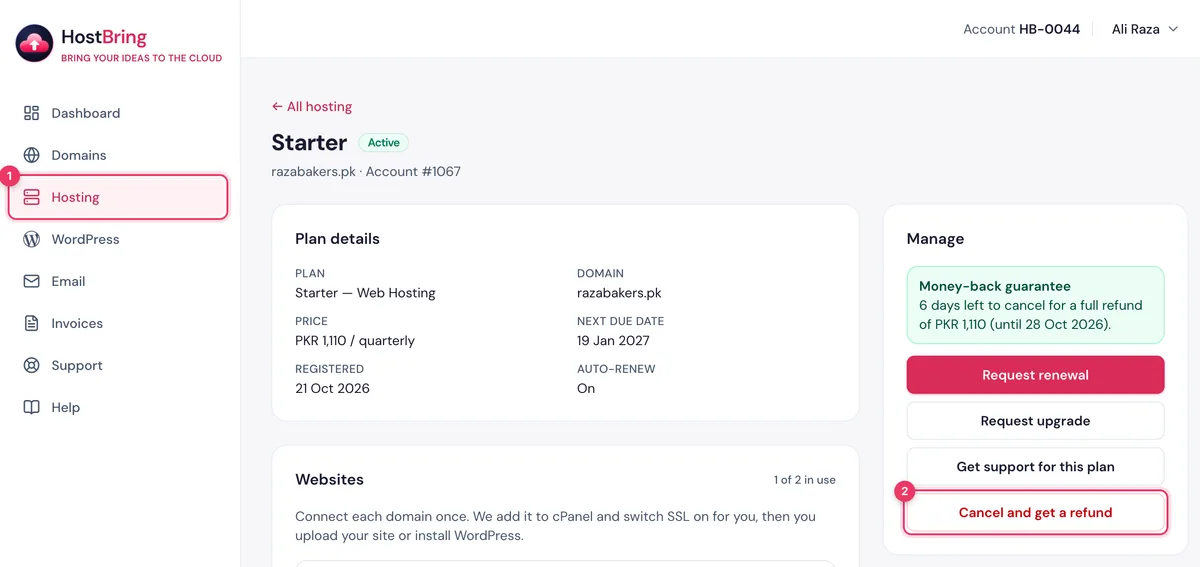
Click Hosting in the menu, then your plan. The Cancel and get a refund button shows only while the plan is inside its money-back period, with the days left above it.
3. Tell us why
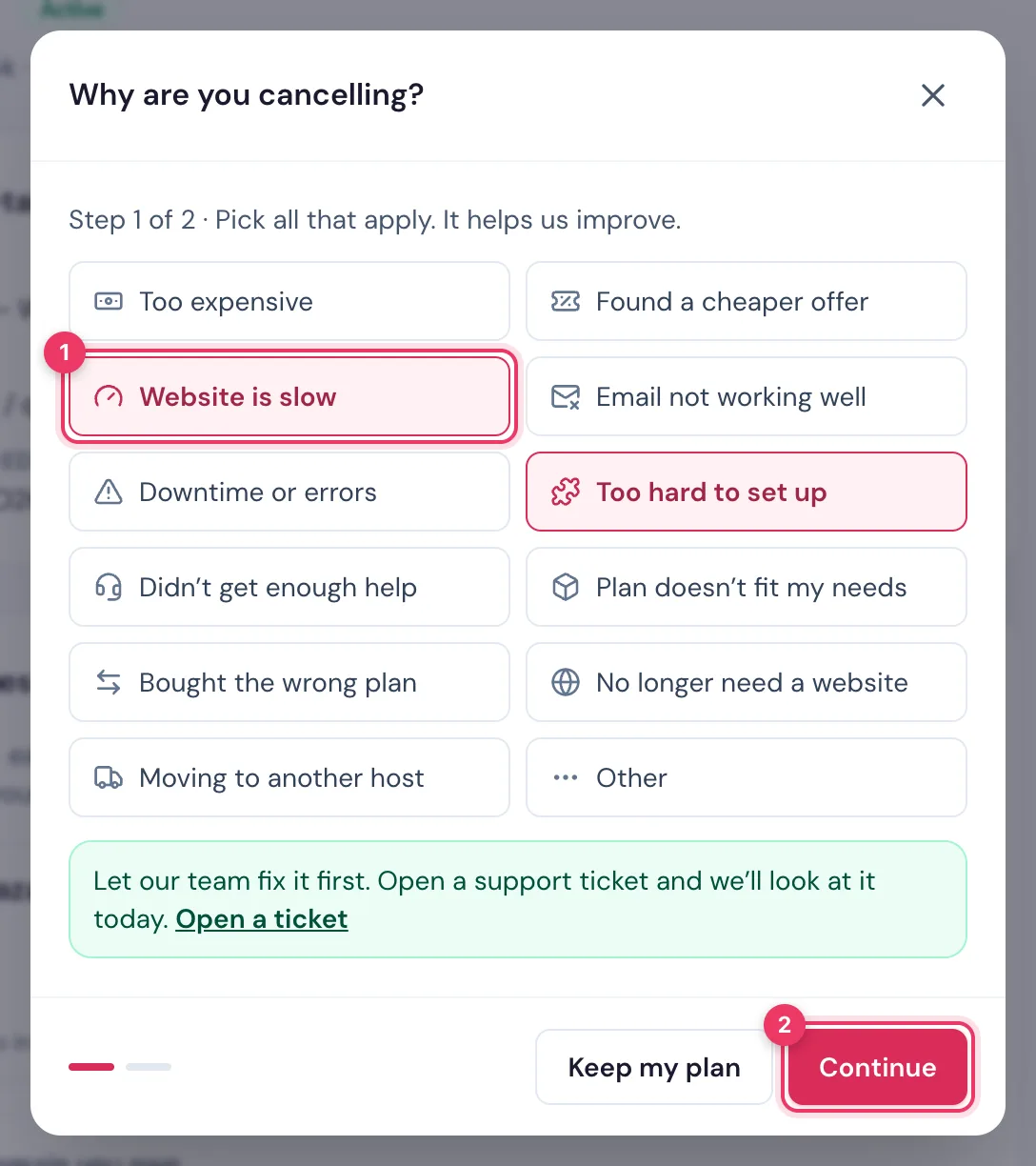
Click Cancel and get a refund. Pick why you are cancelling (choose all that apply), then click Continue. If we can fix the problem instead, we show you how.
4. Choose where to send your refund
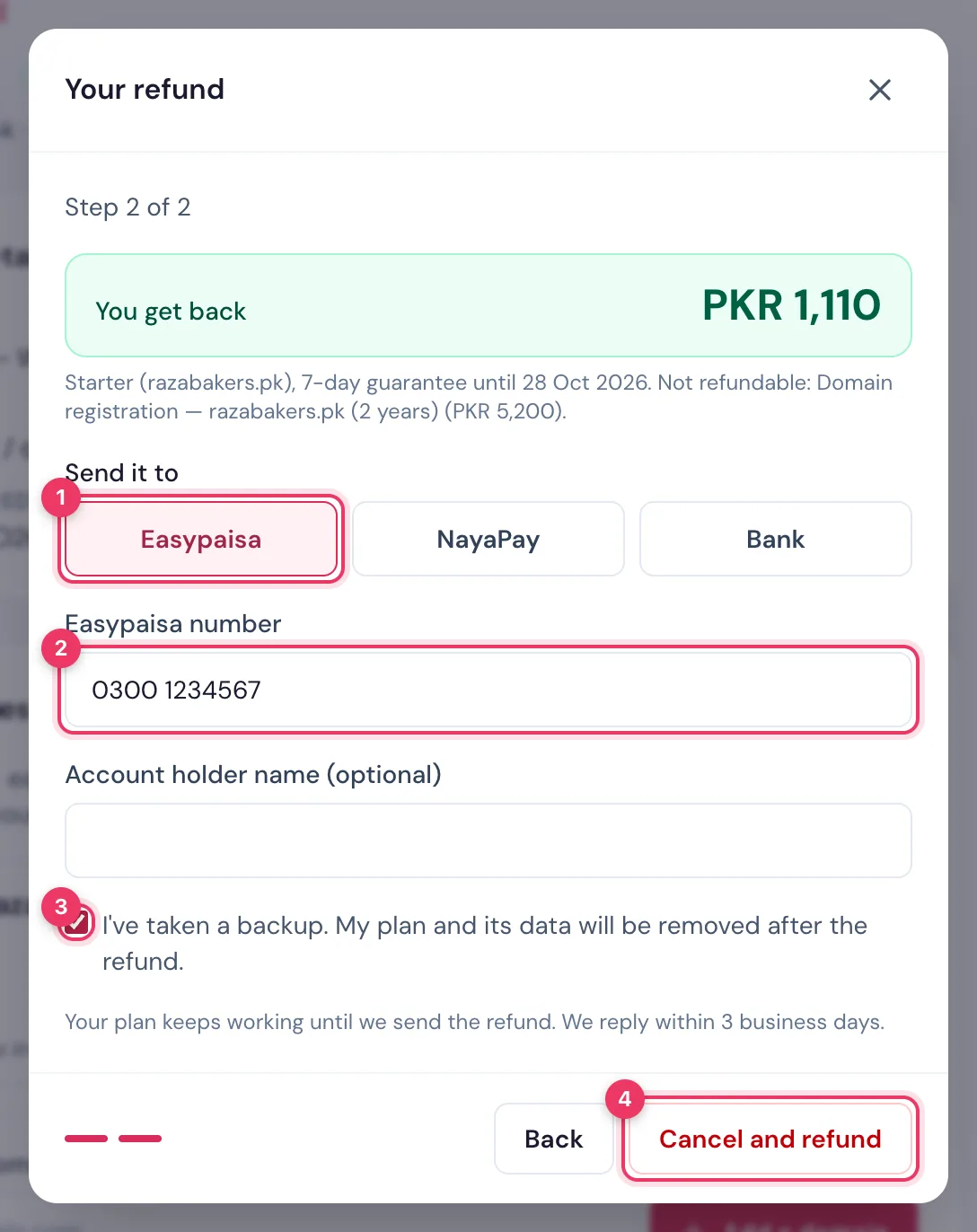
- Check the amount you get back.
- Choose Easypaisa, NayaPay or Bank, and enter your wallet number, or your bank IBAN and bank name.
- Tick the box to confirm you have a backup, then click Cancel and refund.
5. Your request is received
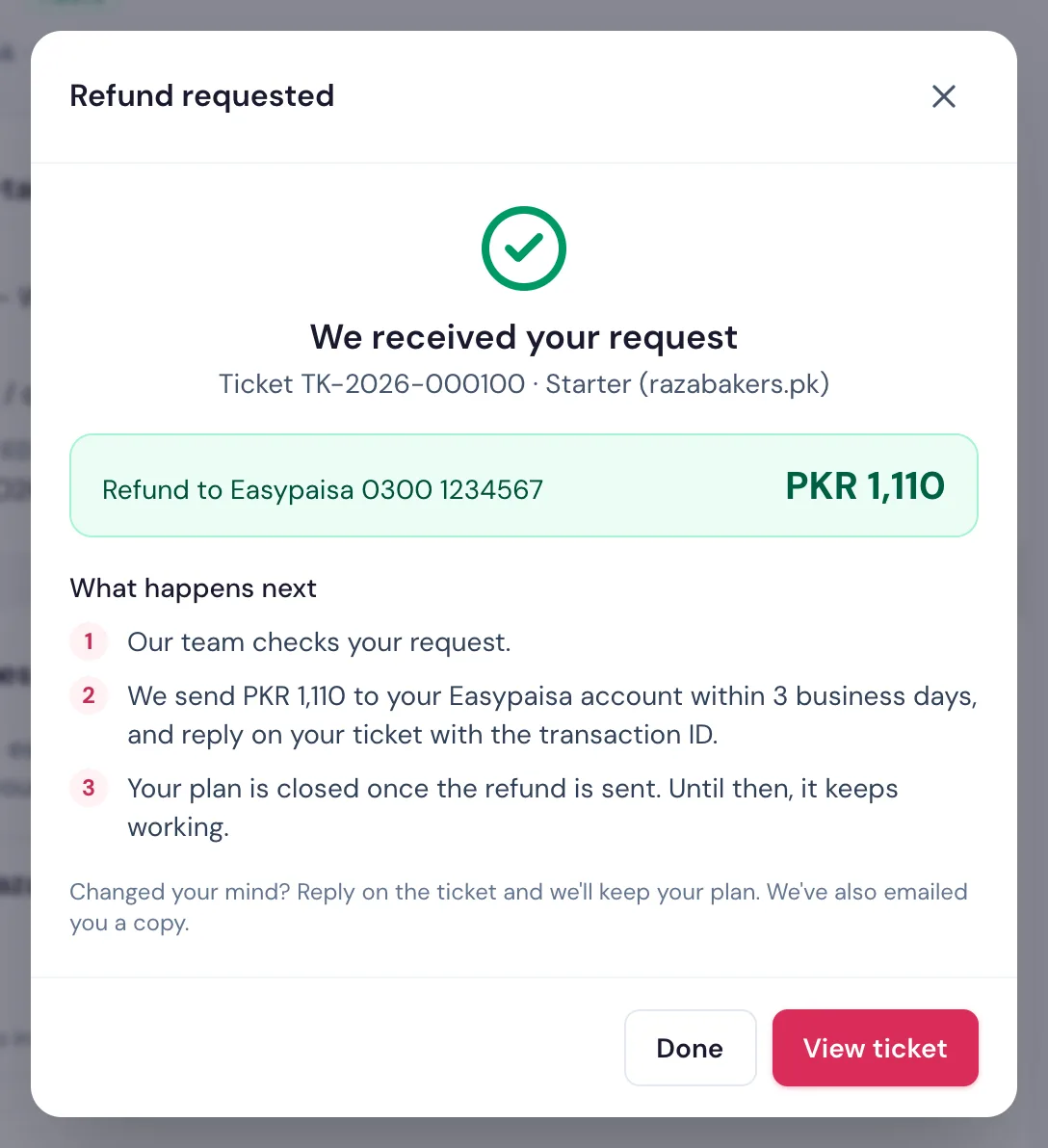
You see We received your request with your ticket number and what happens next. We also email you a copy. Your hosting stays active until the refund is sent. Changed your mind? Reply on the ticket and we keep your plan.
6. Outside the money-back period
If the button is not there, the period is over. You can still click Request cancellation to stop the plan, but no refund is given. See Request a plan upgrade or cancellation.
