
You pay HostBring invoices by sending money to one of our accounts and then telling us in the portal.
1. Open the invoice
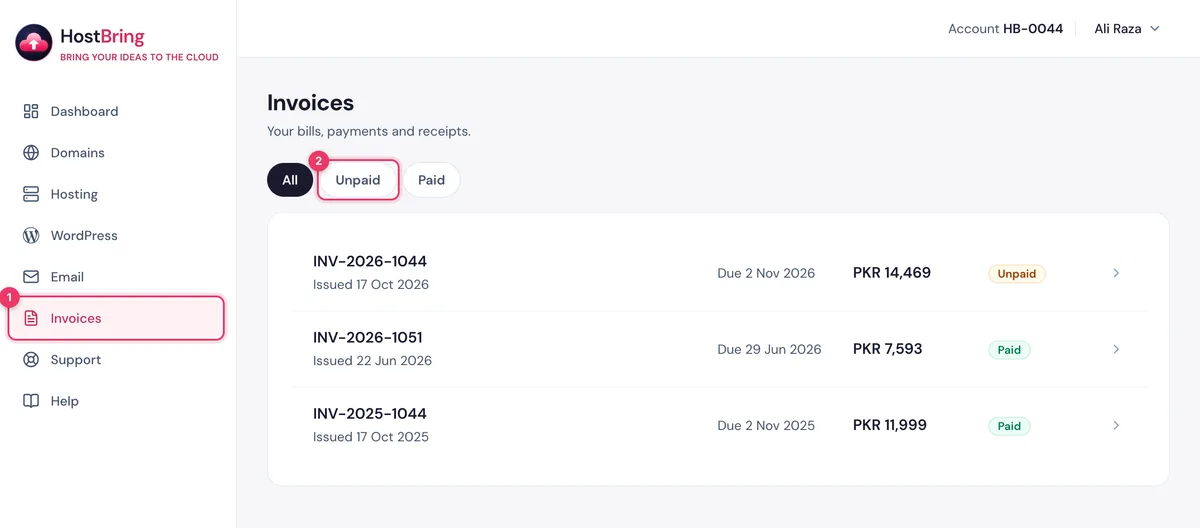
- In the portal, click Invoices. Use Unpaid to see what's due.
- Click the invoice.
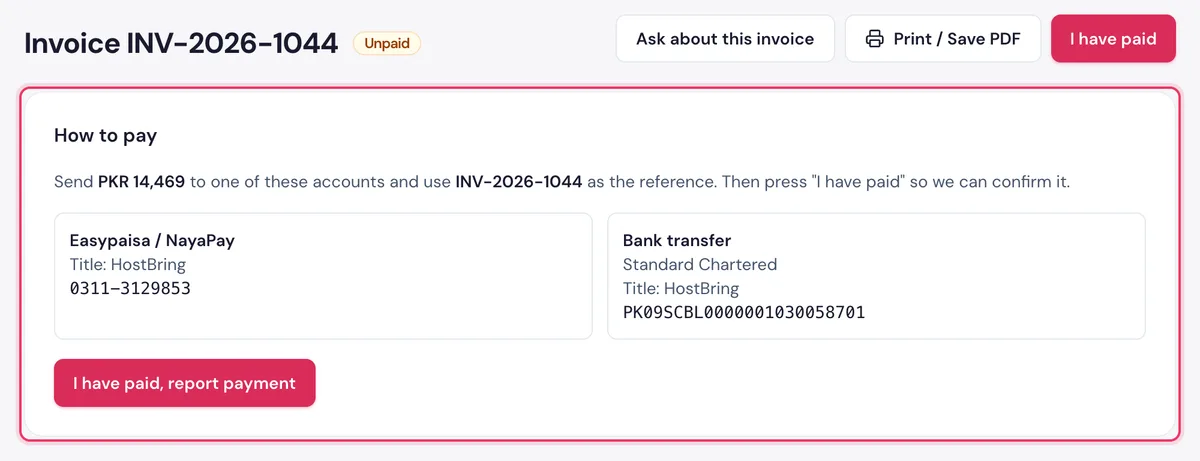
The How to pay card shows the amount, our accounts, and the reference to use: the invoice number.
2. Send the payment
Send the balance to one of the accounts shown (Easypaisa / NayaPay, or bank transfer to Standard Chartered). Use the invoice number as the reference, and take a screenshot of the receipt.
3. Report the payment
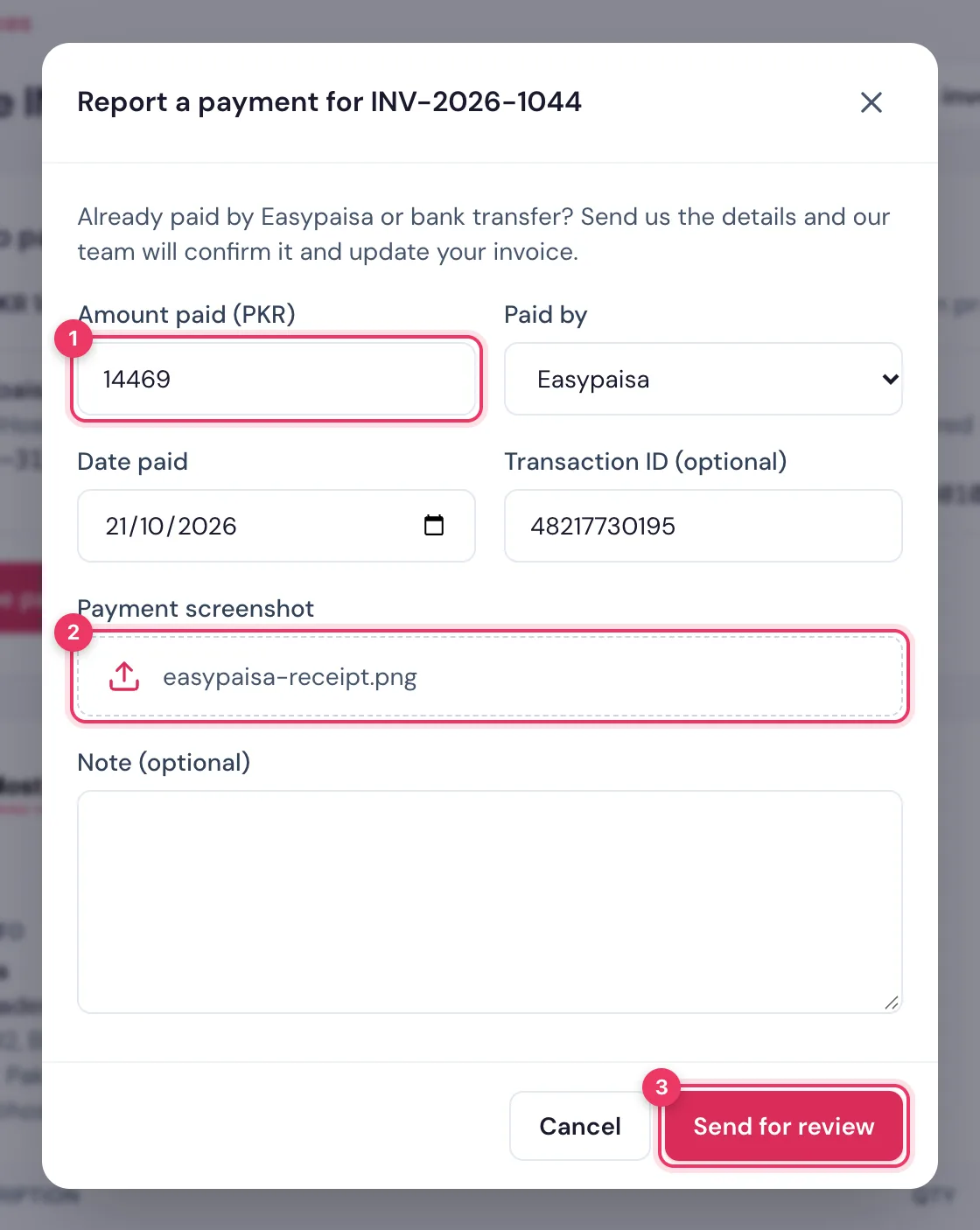
- Click I have paid (or I have paid, report payment).
- Fill in Amount paid (PKR), Paid by, Date paid and, if you have it, Transaction ID.
- Add the Payment screenshot (an image: JPG, PNG or WEBP, up to 5 MB).
- Click Send for review.
Our team checks it and marks the invoice Paid, usually within a few hours.
NoteIf we can't match it, you see We couldn't verify your payment with the reason. Report it again with the right details, or click Ask about this invoice.
4. Save a copy
Click Print / Save PDF for your records.
