HostBringBring Your Ideas to the Cloud
Cart (0)Client Login+92 (308) 330 9308
WordPress

Install WordPress from the portal

Add a WordPress website on your WordPress hosting in three steps.

On a WordPress hosting plan you add WordPress websites from the portal. We install and set them up for you.

1. Get a domain ready

The domain must be ready first. See Connect your domain to WordPress hosting. Domains bought from HostBring are ready straight away.

2. Start the wizard

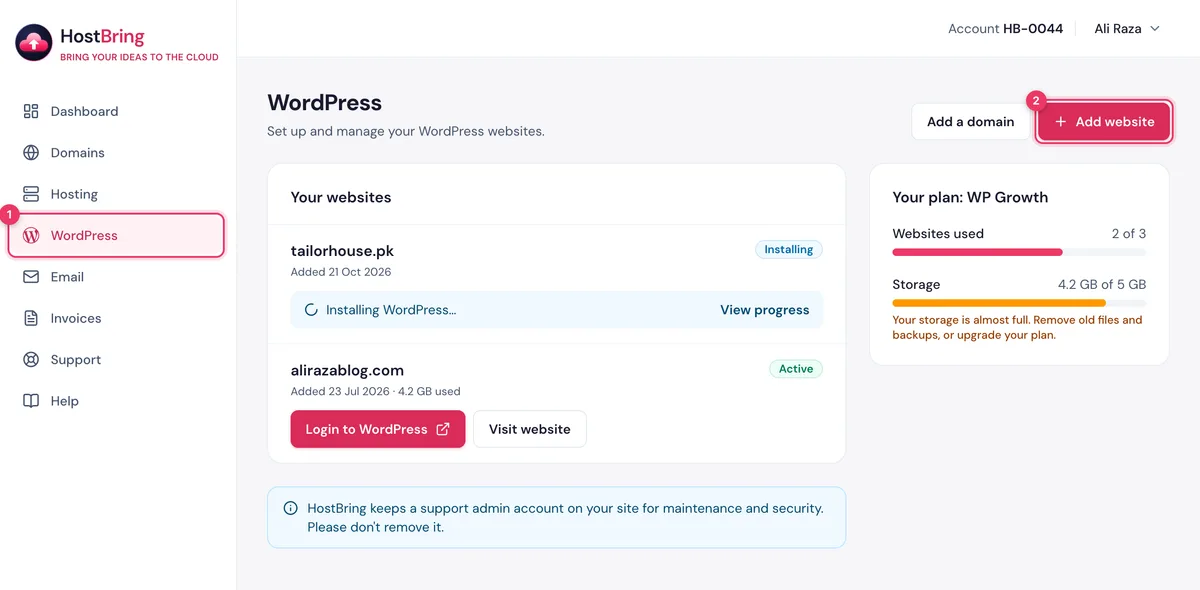
  1. In the portal, click WordPress in the menu.
  2. Click Add website.
The WordPress page in the HostBring client portal with the Add website button

3. Choose a domain

Pick a domain under Ready to use. Domains under Not ready yet have a Finish DNS setup link.

Need another address? Use another address lets you Add a subdomain, Add a domain you own or Buy a new domain. Click Next.
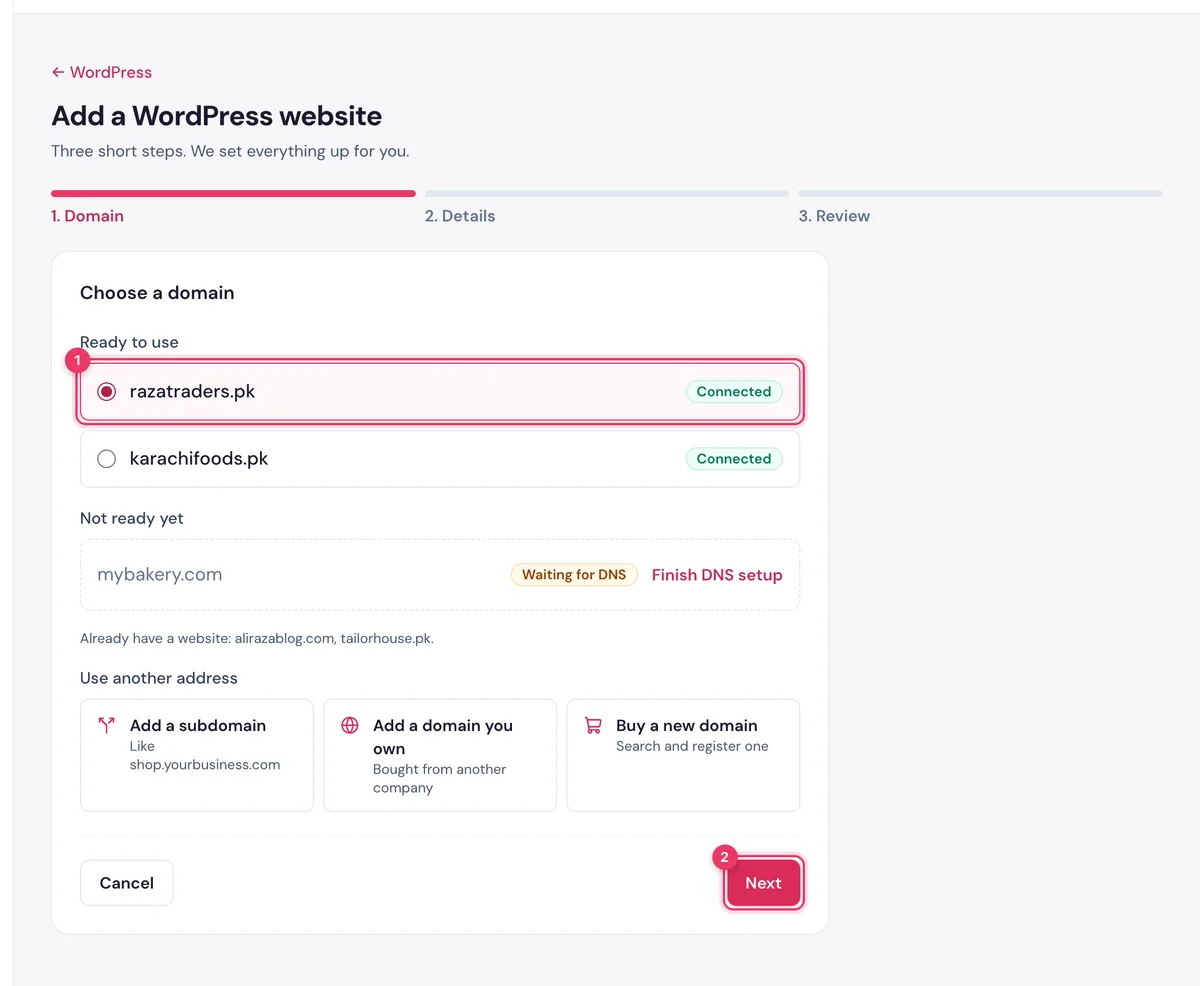
Choose a domain in the HostBring WordPress wizard: pick one under Ready to use, then Next

4. Website and login details

  • Website name.
  • Admin username: 4 to 60 characters, not admin.
  • Admin email and Admin password. Generate a strong password makes one for you.
  • Website language, and Install WooCommerce for an online shop.
ImportantSave the password now. HostBring can't see it and can't show it to you later.

Click Next.
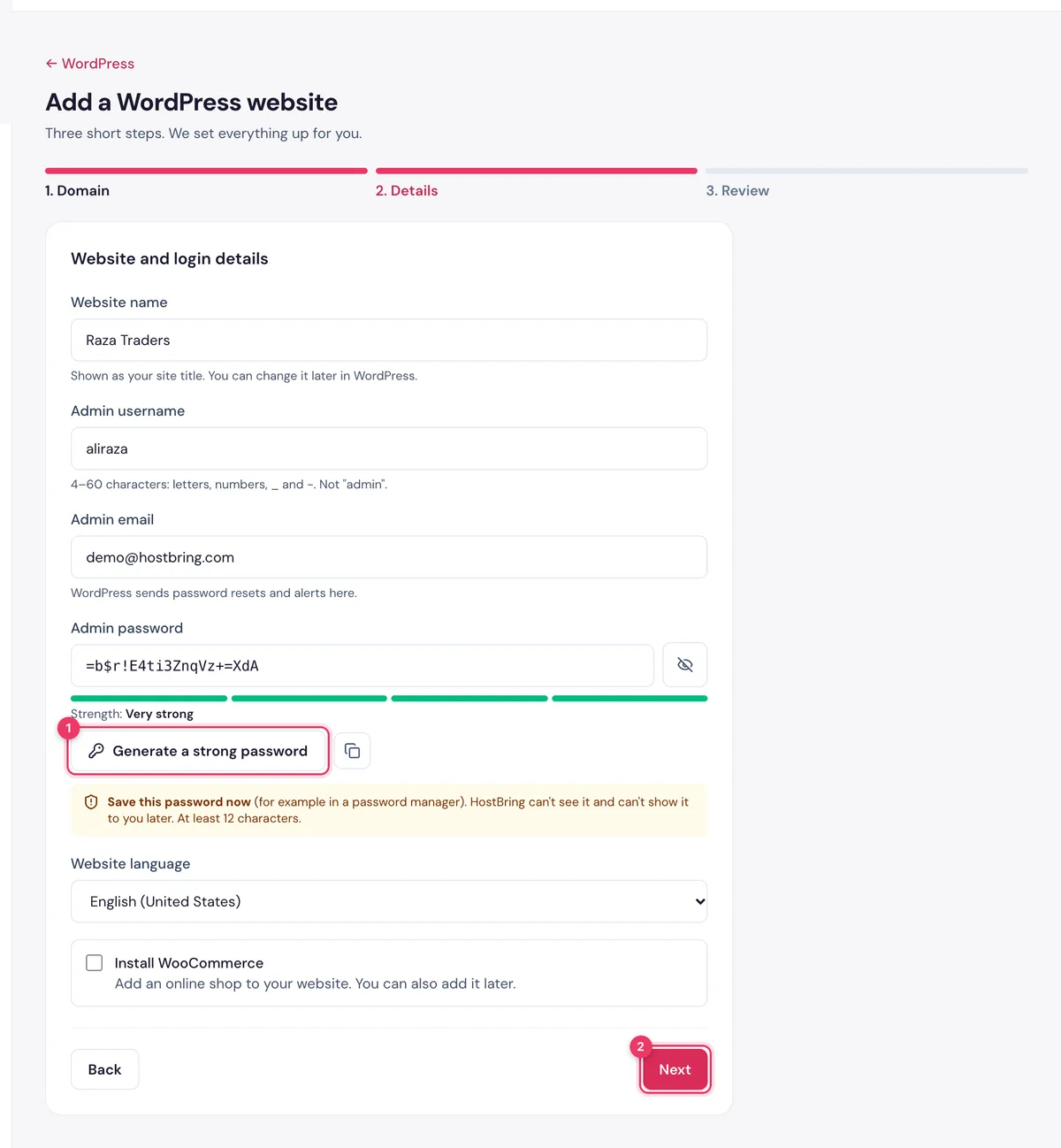
Website and login details in the HostBring WordPress wizard: website name, admin username, email and password

5. Install

Check the summary and click Install WordPress. The page shows Setting up your website, and after a few minutes Your website is ready. Click Login to WordPress.
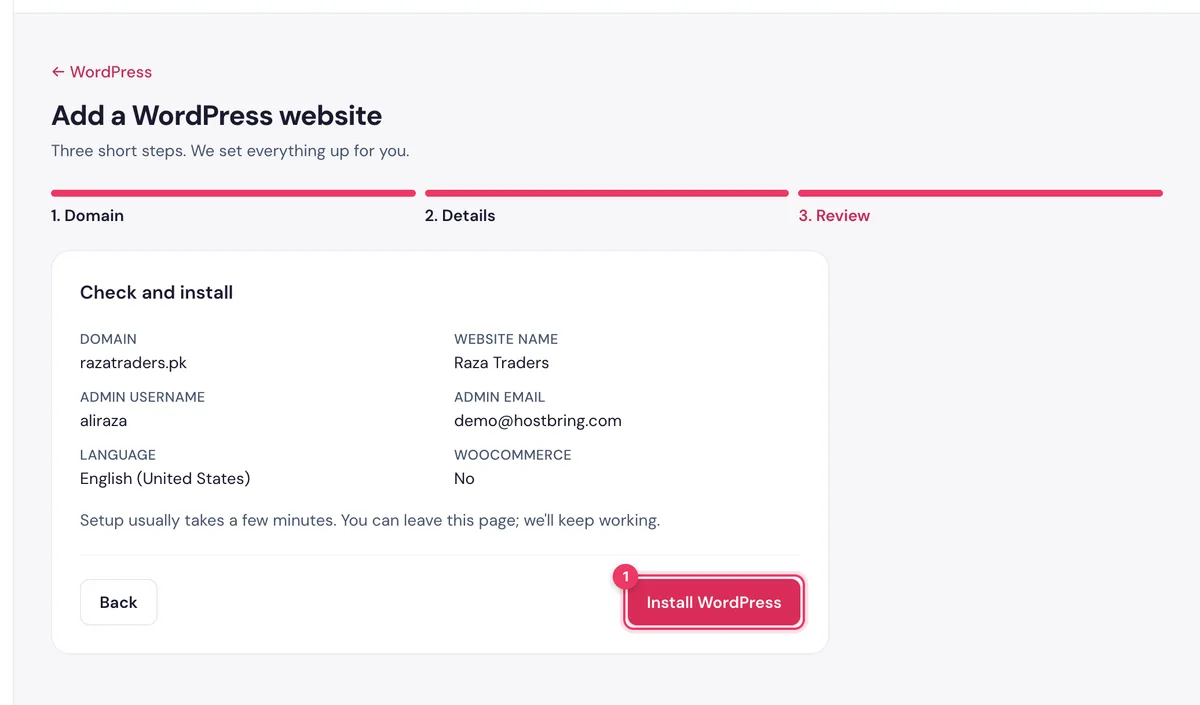
The summary in the HostBring WordPress wizard with the Install WordPress button
NoteHostBring keeps a support admin account on your site so we can help you. Please don't remove it.

Found this useful? Send it to a friend.

HostBring delivers up to 10X faster web hosting in Pakistan, powered by SSD servers, cPanel and a 99.90% uptime guarantee.

KarachiHyderabadQuettaMultanFaisalabadLahoreIslamabadRawalpindiPeshawarChakwal
Nationwide Network

HostBringAcross Pakistan

Serving businesses in 10+ cities across Pakistan with fast, reliable hosting and local support.